+30 231 111 8910

Solutions / Control & reports

SOLUTION 07

Your business’s numbers, at a glance

Track revenue, bookings and your business’s performance through clear statistics and reports.

  • Dashboard with KPIs
  • Revenue by period
  • Custom reports
Rentalbook · Control & reports

THE PROBLEM

From scattered data to one clear picture

TODAY

Numbers spread across many files

Reports built from scratch every time

Slow conclusions

Excelreportemailchart?paper

WITH RENTALBOOK

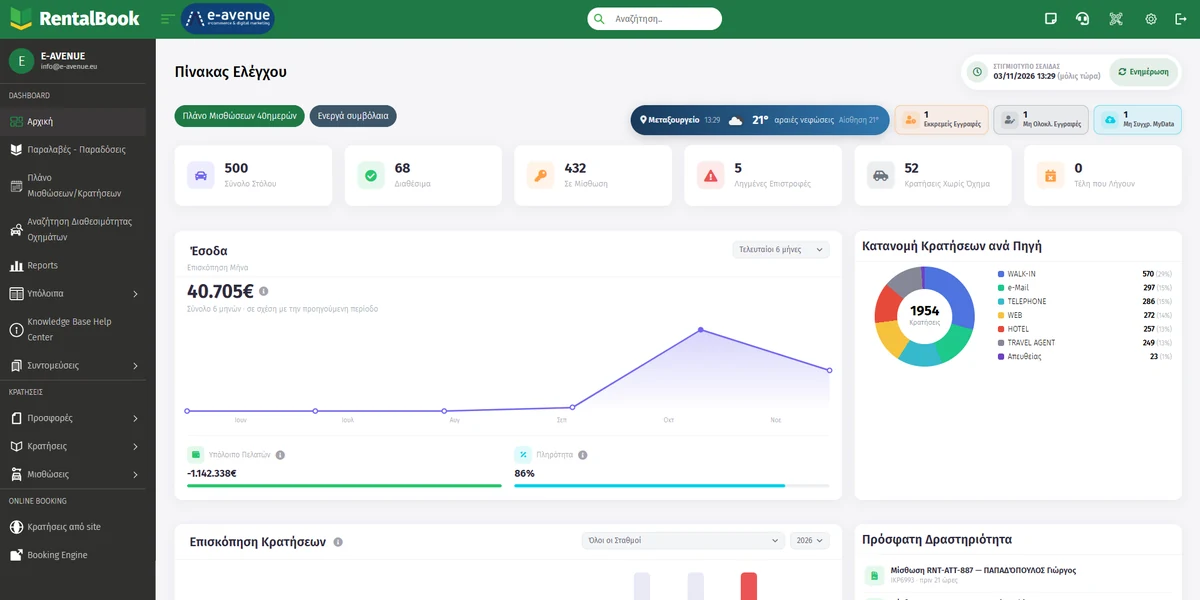
  • Key metrics on the home screen
  • Revenue and bookings over time
  • Bookings broken down by source

HOW IT WORKS

How your business is doing, at a glance

dashboard → revenue → overview

  1. 1The key metrics on the home screen
  2. 2Revenue by period
  3. 3Booking overview and recent activity

FEATURES

Everything you need to see the full picture

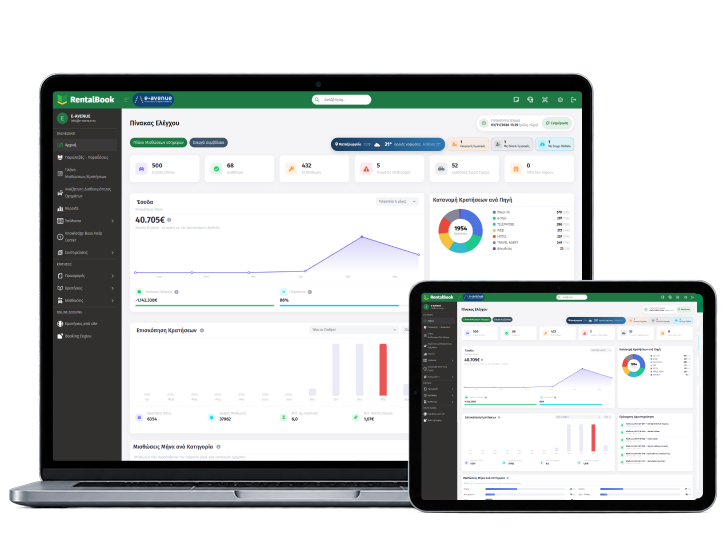
Dashboard with revenue and bookings by source in Rentalbook

Revenue by period

See how revenue and bookings move over time.

Dashboard with KPIs

Your business’s key metrics on the home screen.

  • Fleet
  • Available
  • On rental

Bookings broken down by source

Know where your bookings come from.

  • WEB
  • Walk-in
  • Hotel

Custom reports

Choose what you want to see and build your own reports.

  • Filters
  • Data selection

FOR YOUR COMPANY

Want to see it for your own company?

Request a demo

BENEFITS

What you gain

A clear picture

You know how your business is doing.

Better decisions

Based on real data.

Reports the way you want them

You choose what you see.

FAQ

Frequently asked questions

The most common questions about reports and statistics.

Which statistics can I track?

You can track revenue, bookings, key performance indicators and other useful data on how your business runs.

Yes. You choose the time range you’re interested in and see how your revenue develops, from a single day to longer periods.

Yes. RentalBook shows you how your bookings break down by source, so you know which channels bring the most bookings to your business.

Yes. You can use RentalBook’s available reports and filters to find and export the data you need.

Didn’t find the answer?

Talk to our support team or see Rentalbook in action, with a demo for your own company.

See RentalBook in your own business

See how it works: from the quote and digital signature to tax documents and reports. The demo is tailored to the way your company works.

231 111 8910 · [email protected]

Car being handed over to a customer with a digital signature on a tablet