+30 231 111 8910

Solutions / Fleet & vehicles

SOLUTION 03

Your whole fleet, with a full picture of every vehicle

Vehicle record with MOT, servicing and QR code, plus lists for groups, categories, insurance and extras.

  • Vehicle record
  • MOT and servicing
  • QR per vehicle
Rentalbook · Fleet & vehicles

THE PROBLEM

From scattered files to one record per vehicle

TODAY

Vehicle details spread across many files

Forgotten expiry dates

Hunting for details on the spot

Excelfolderpost-itMOT?paper

WITH RENTALBOOK

  • Vehicle list with groups and categories
  • Insurance, documents and services gathered per vehicle
  • A QR code that opens the record from your mobile

HOW IT WORKS

Every vehicle, with all its information in one place

list → vehicle record

  1. 1View the vehicle list
  2. 2Open the record with insurance and MOT
  3. 3See extras and accessories

FEATURES

Everything you need for your fleet

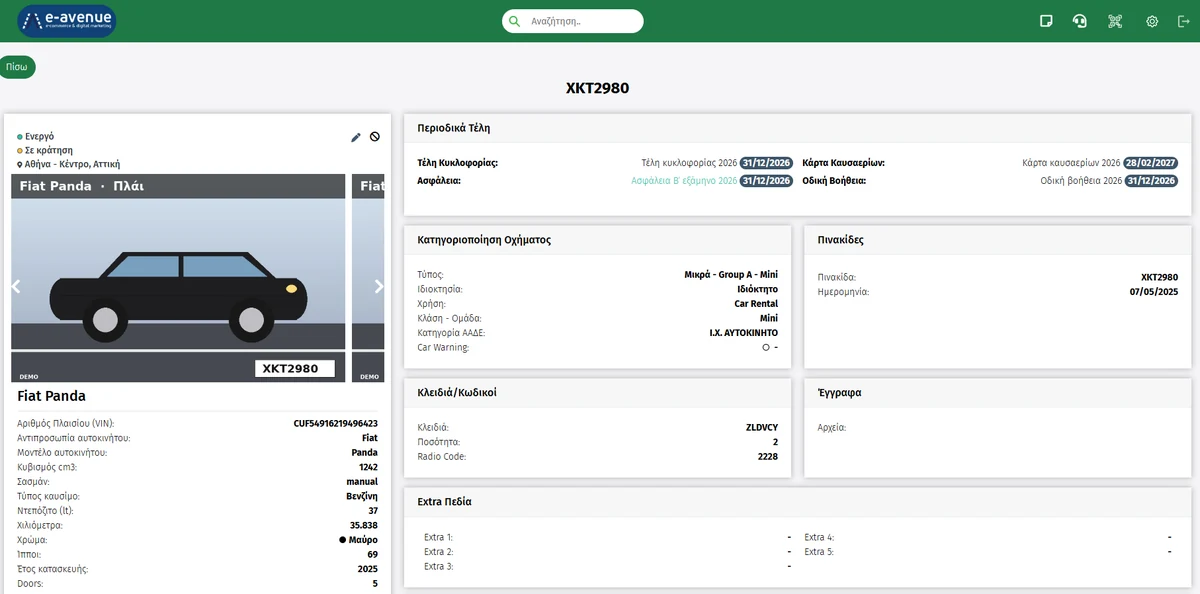
Vehicle record in Rentalbook

Vehicle record

Vehicle details, road tax, insurance and emissions card, with their expiry dates.

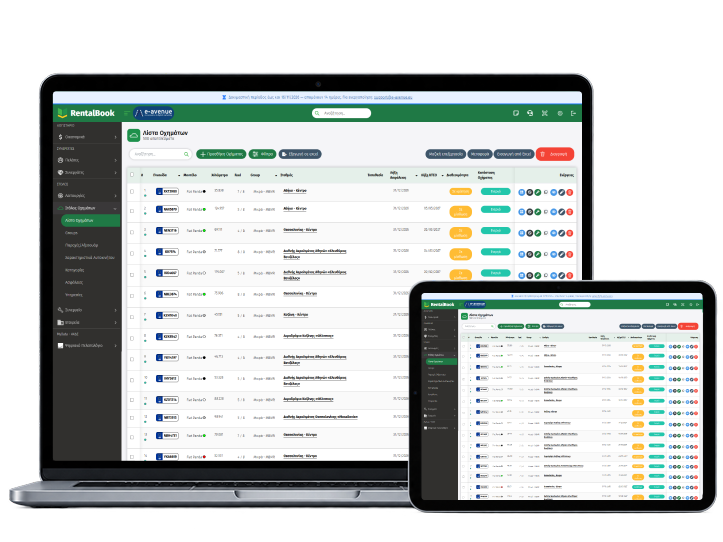
Vehicle list

Your whole fleet with filters and grouping.

  • Groups
  • Categories
  • Filters

Extras, accessories and services

Set what’s on offer and at what price.

  • Extras
  • Accessories
  • Services

QR per vehicle

Scan the QR code and the vehicle record opens.

  • Sticker
  • Mobile
  • Instant access

FOR YOUR COMPANY

Want to see it for your own company?

Request a demo

BENEFITS

What you gain

Full picture

Know the status of every vehicle.

Expiry dates on the record

See MOT and insurance per vehicle.

Everything at hand

The details are right there for your staff.

FREQUENTLY ASKED QUESTIONS

Frequently asked questions

The most common questions about the fleet and vehicles.

What information can I see in each vehicle record?

Each vehicle record brings together its details, insurance, MOT and maintenance history, so you have the full picture in one place.

Yes. You can add extras, accessories and additional services, setting their prices to suit your business.

Every vehicle has its own QR code. Scan it with your mobile to get instant access to the vehicle’s record and information.

Yes. You can organise your vehicles into groups and categories and use filters to find what you’re looking for quickly.

Didn’t find the answer?

Talk to our support team or see Rentalbook in action, with a demo for your own company.

See RentalBook in your own business

See how it works: from the quote and digital signature to tax documents and reports. The demo is tailored to the way your company works.

231 111 8910 · [email protected]

Car being handed over to a customer with a digital signature on a tablet